 Scopevia
From site visit to signed job.
Walk the site, price the job and send a proposal your customer signs on their phone — then send the invoice when the work is done. All from your iPhone, before you leave the job site.
Try Scopevia Beta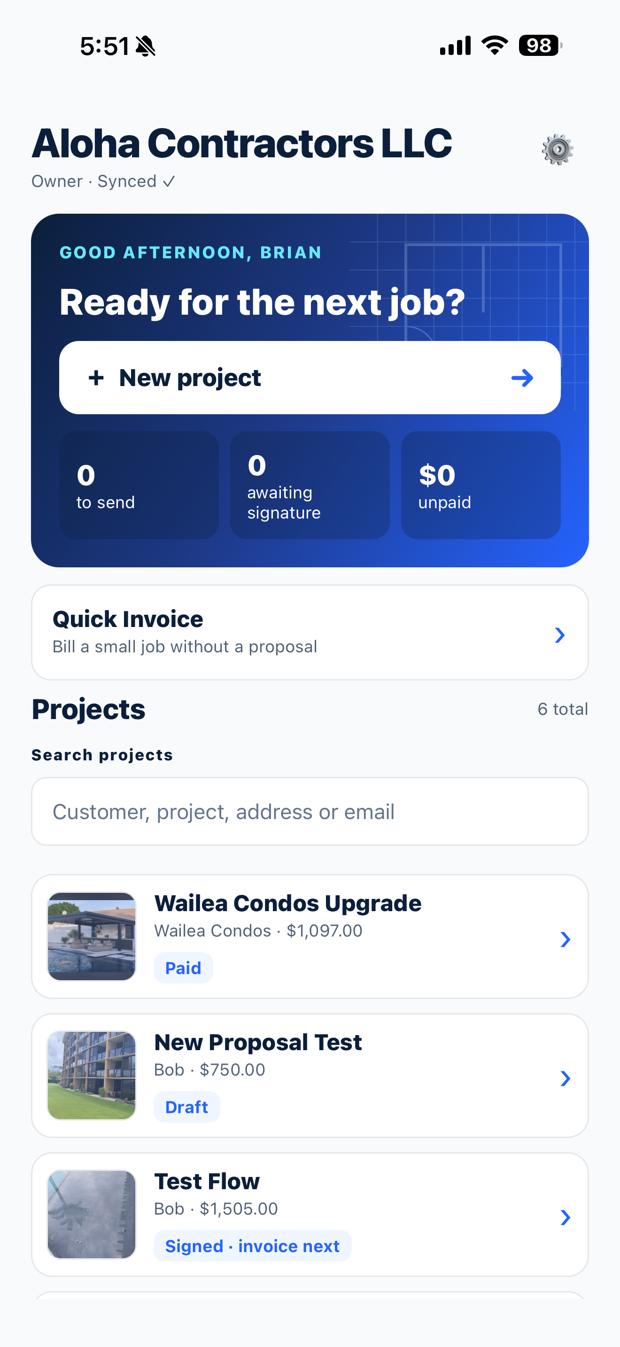
Three steps. One app.
No more notes on the back of a receipt, a spreadsheet at night and a Word document the next morning.
Walk the site
Snap photos, mark up where the work goes and note each area as you walk. It's all saved with the job.
Price it
Pick items from your own catalog, add labor, discounts and tax. The total updates as you go.
Send & sign
Send a polished quick estimate or full proposal. Your customer reviews and signs from one link — no printing, no scanning.
Everything after "yes", too.
Scopevia keeps going once the customer signs, so nothing falls through the cracks.
Built-in e-signature
You sign first, your customer signs next, and both get the completed copy automatically.
Deposits and final invoices
Turn a signed proposal into a deposit invoice in one tap, then the final invoice when the work is done.
Service agreements
Yearly or monthly maintenance contracts with renewal reminders, e-signature and invoices ready when they're due.
Always know the next step
Every job shows what's done and the one thing to do next: send, sign, invoice or follow up.
Made for your trade
Contractors, installers, landscapers and other service businesses — with your own wording, sections and email templates.
Works with your tools
Every signed document can be saved to your Google Drive, and invoices can flow to your bookkeeping.
Be one of the first.
Scopevia is in beta for iPhone. Join free and help shape what comes next.
Getting started takes two minutes
- Tap "Try Scopevia Beta" on your iPhone. If asked, install Apple's free TestFlight app first — that's how Apple delivers beta apps.
- Tap Install in TestFlight, then open Scopevia.
- Create your account with your email. We'll send you a 6-digit code — type it in and you're in.
- Set up your company and start your first project.
Questions
Does my customer need an account?
No. Your customer gets an email with a link, reviews the document and signs right in their phone's browser — nothing to download. You both get the signed copy automatically.
Is Scopevia only for security installers?
No. It started in security and surveillance, but it works for any business that visits a site, quotes the work and gets it signed — contractors, pool builders, landscapers, cleaners, inspectors and other service pros. You set the wording, sections and email templates to fit your business.
Does it replace DocuSign?
For the proposals and agreements you create in Scopevia, yes. Signing is built in: you sign first, then your customer, and every signature is recorded with who signed and when. No separate signing service needed for those documents.
Where are documents saved?
In your company's Scopevia account, stored securely in the cloud and available to your team on their phones. If you connect Google Drive, signed documents are also saved to your Drive automatically.